
Finalizing a Signed Envelope and Retrieving the Executed Document in Talking Tree
1. Review the Signature History
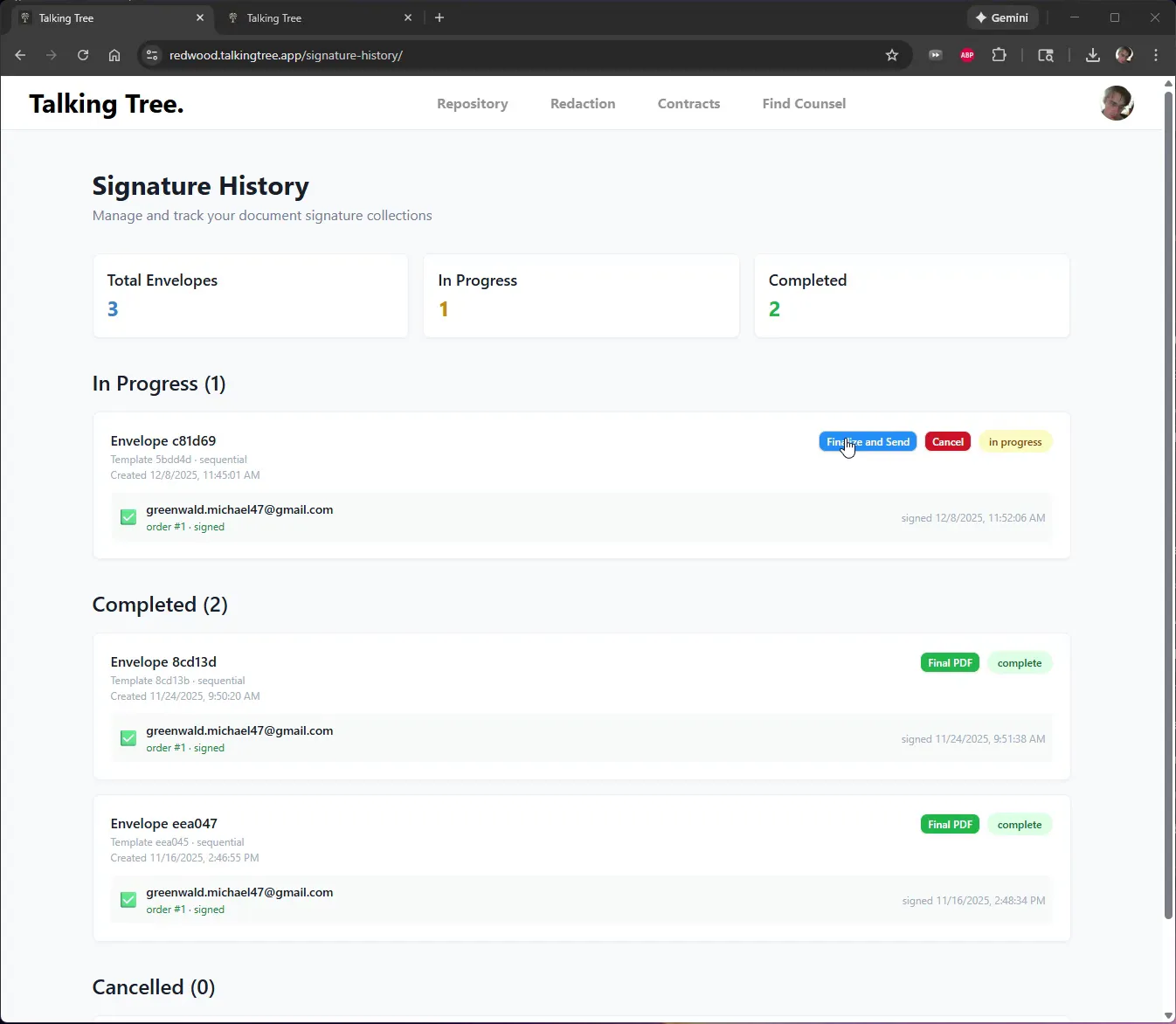
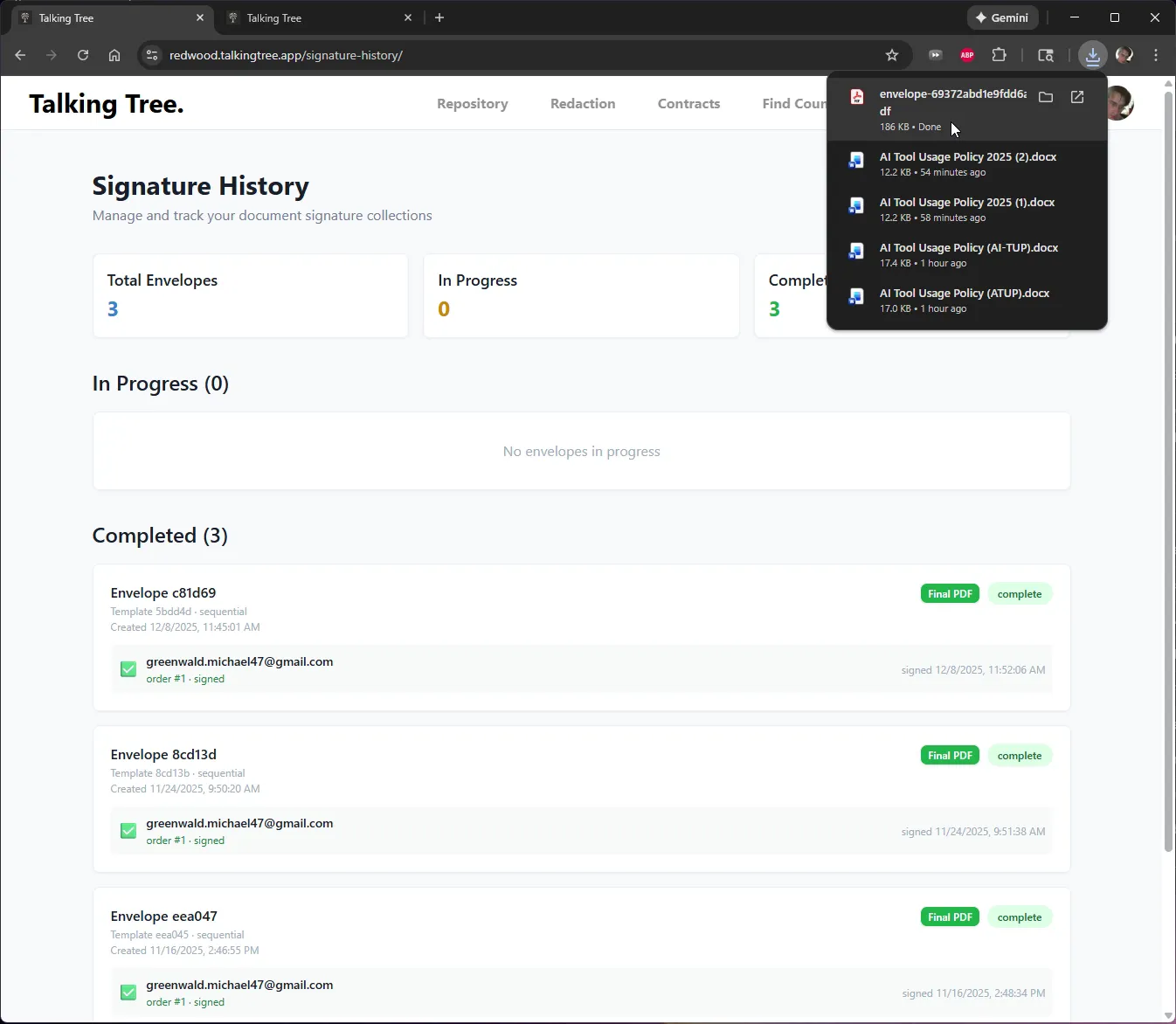
Open Signature History to see all envelopes grouped by status: Total Envelopes, In Progress, and Completed. Locate the envelope that has finished signing but still needs to be finalized.
2. Finalize the Signed Envelope
On the in-progress envelope, click Finalize and Send to generate the final executed PDF and close out the signature collection.
3. Wait for Finalization to Complete
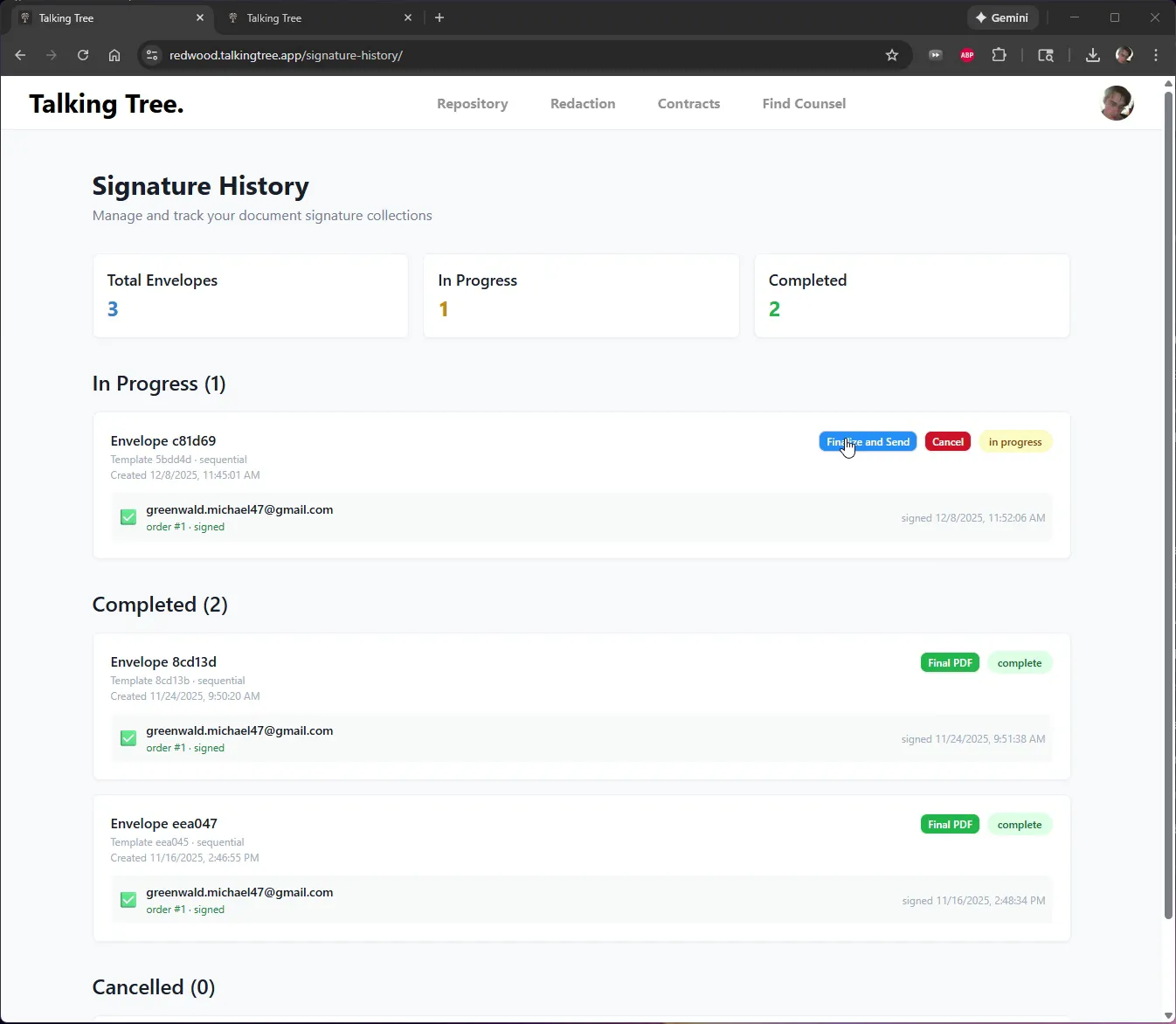
The button changes to Finalizing... while Talking Tree assembles the final signed PDF. Allow the process to finish without navigating away.
4. Confirm Completion and Locate the Downloaded PDF
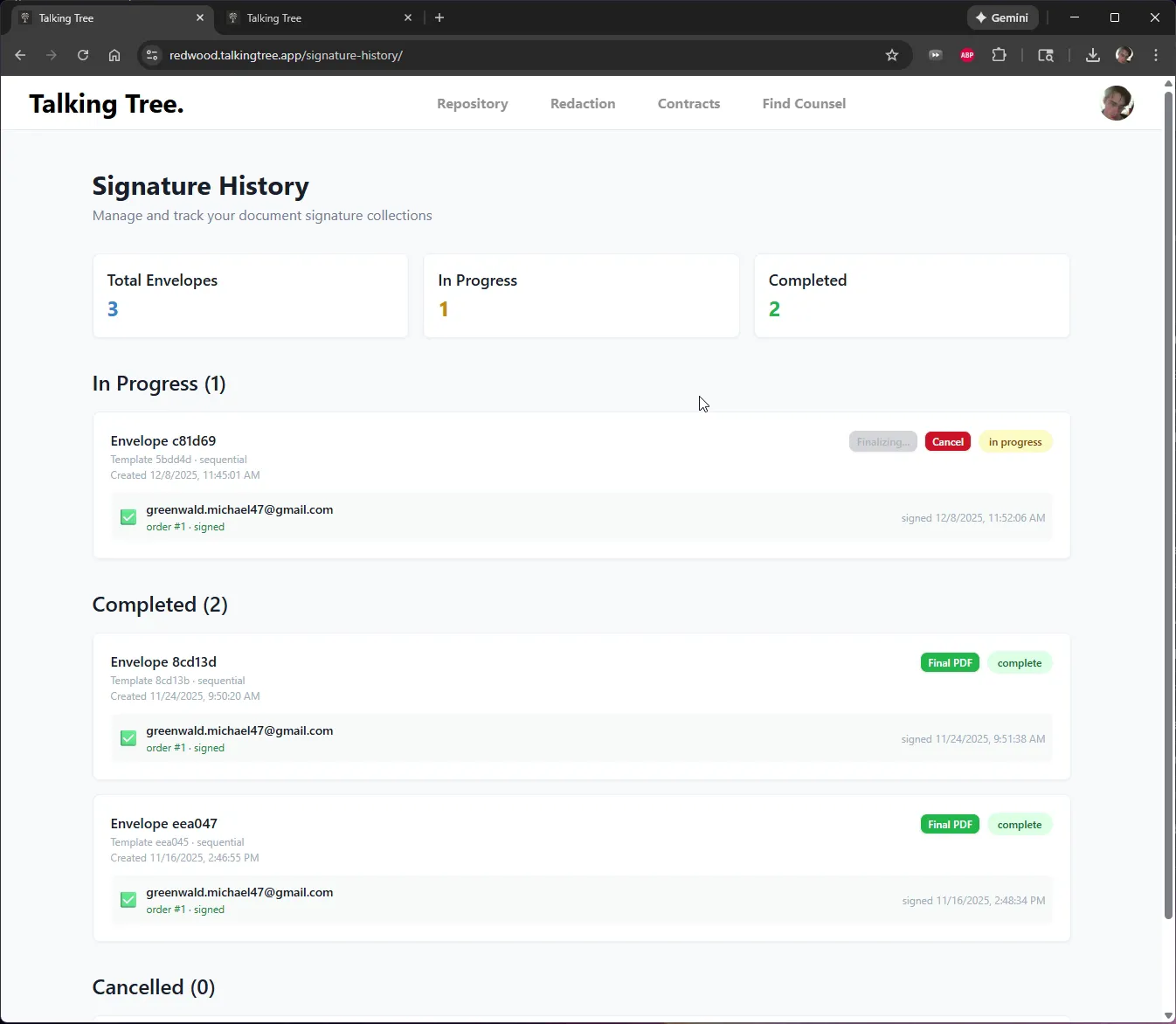
Once finalized, the envelope moves into the Completed list, the In Progress count drops to zero, and the executed PDF appears automatically in the browser's downloads tray.
5. Open the Downloaded PDF
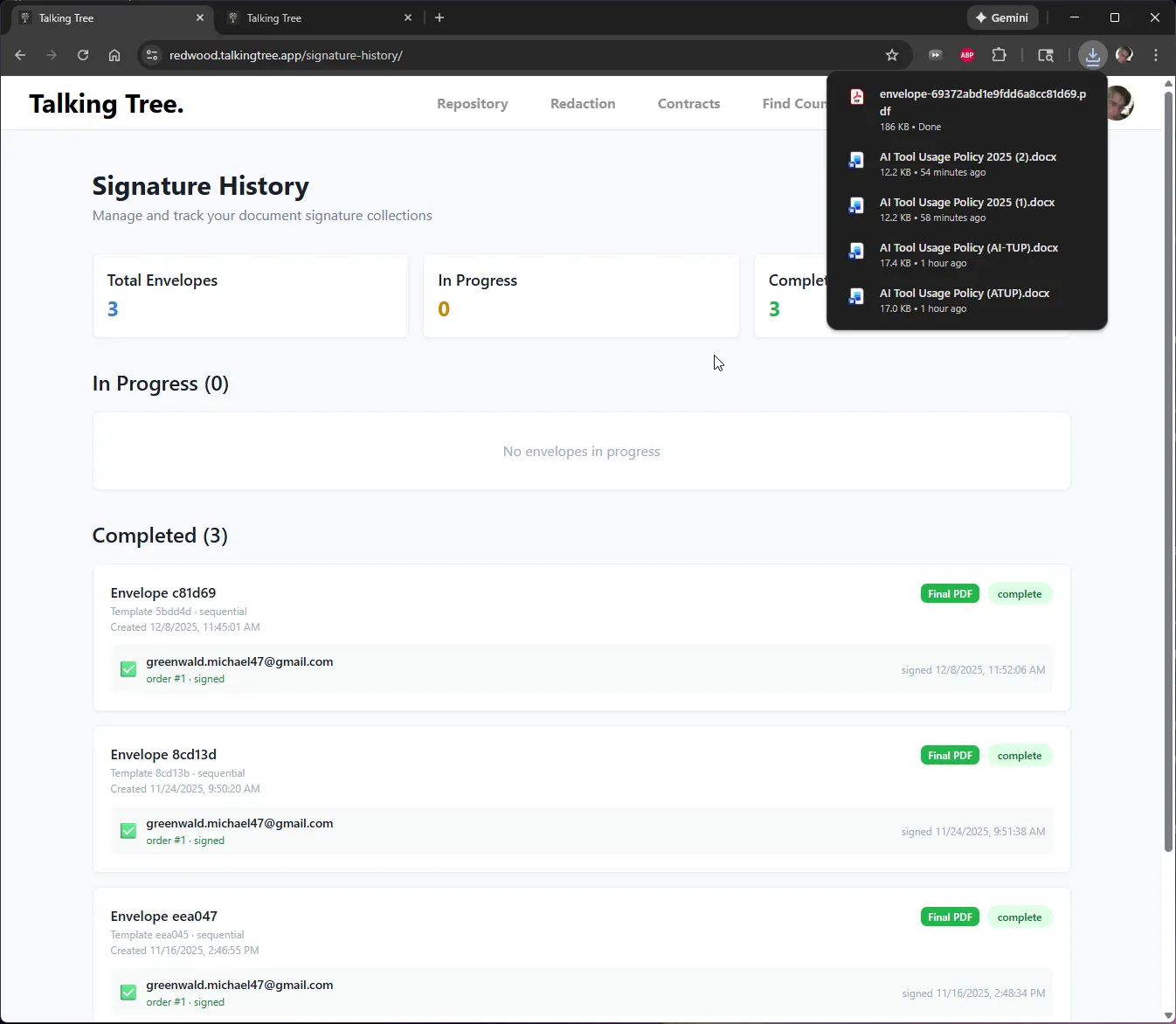
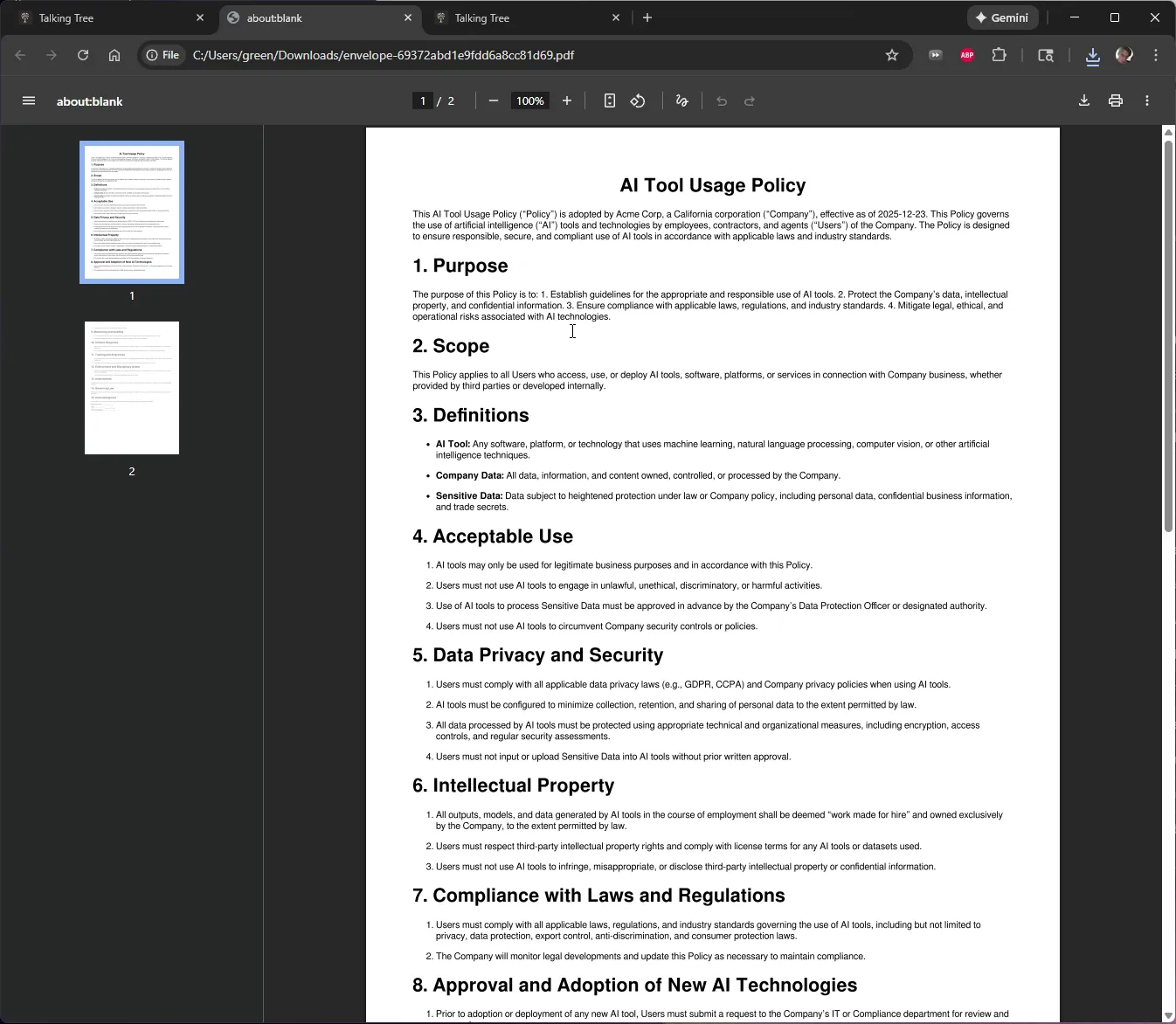
Click the downloaded file in the downloads tray to open the fully executed document in a new tab.
6. Review the Executed Document
Confirm the document opens correctly and review its title page and content to verify it reflects the finalized agreement.
7. Verify the Signature Page
Scroll to the acknowledgment section to confirm the signature field is completed, showing the document is fully executed and legally binding.
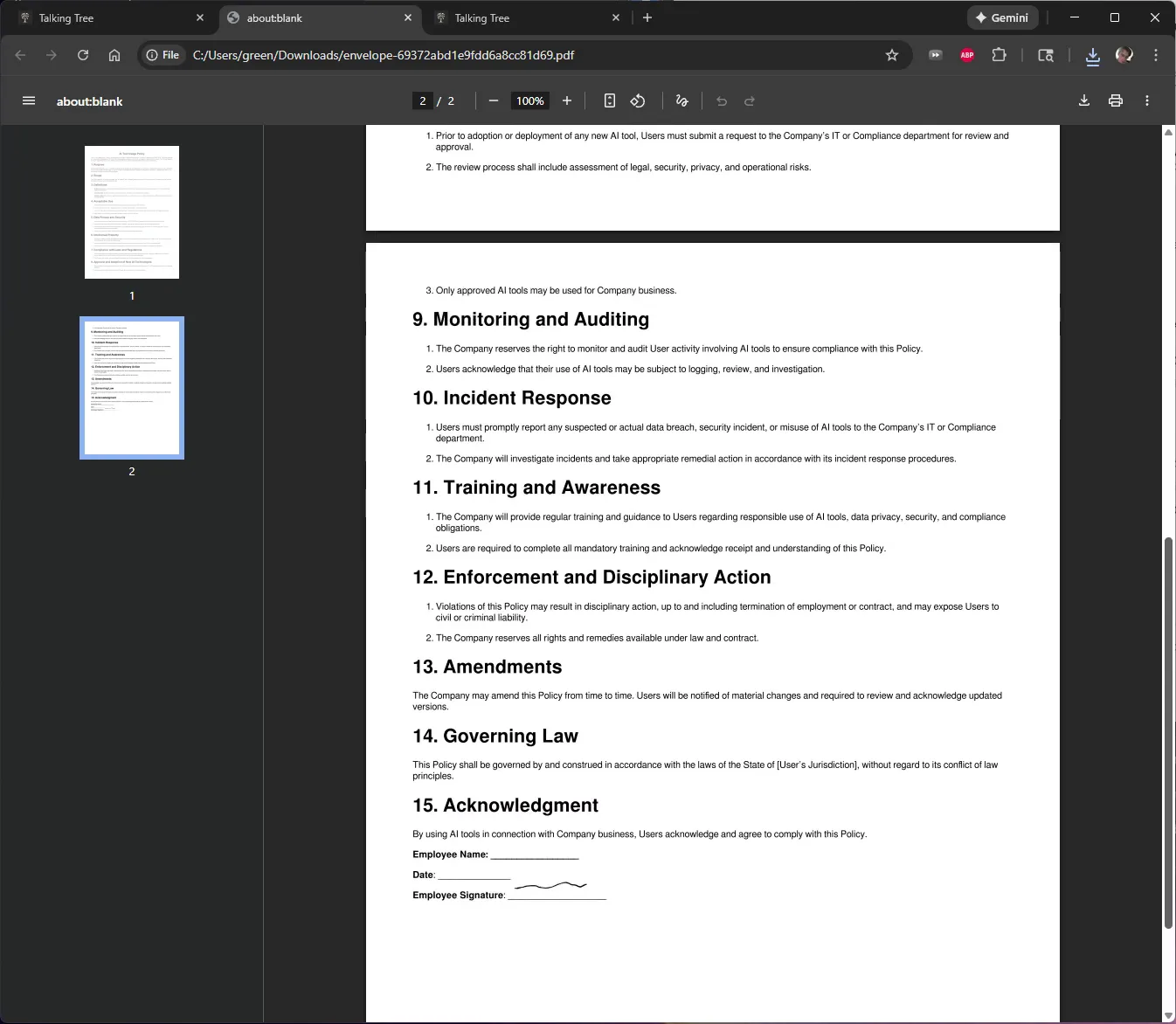
The envelope is now finalized and the fully executed, signed document has been downloaded and verified for record-keeping.
You’re ready to put this workflow into practice.