
How to Redact Sensitive Information from a Document in Talking Tree
1. Open the Redaction Tool
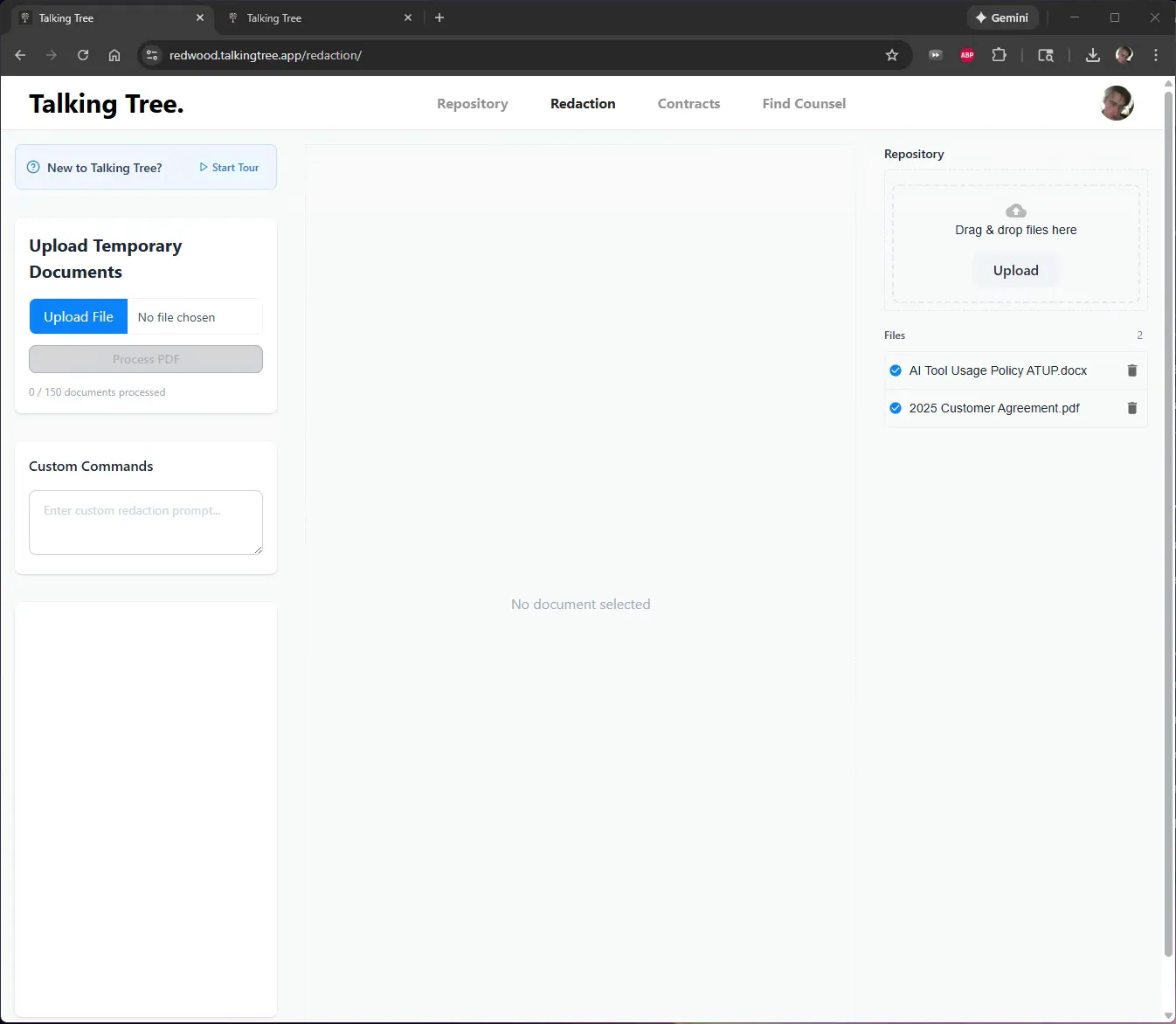
Navigate to the Redaction tab in Talking Tree. Documents already in your Repository are listed on the right-hand panel and are available for redaction.
2. Select a Document to Redact
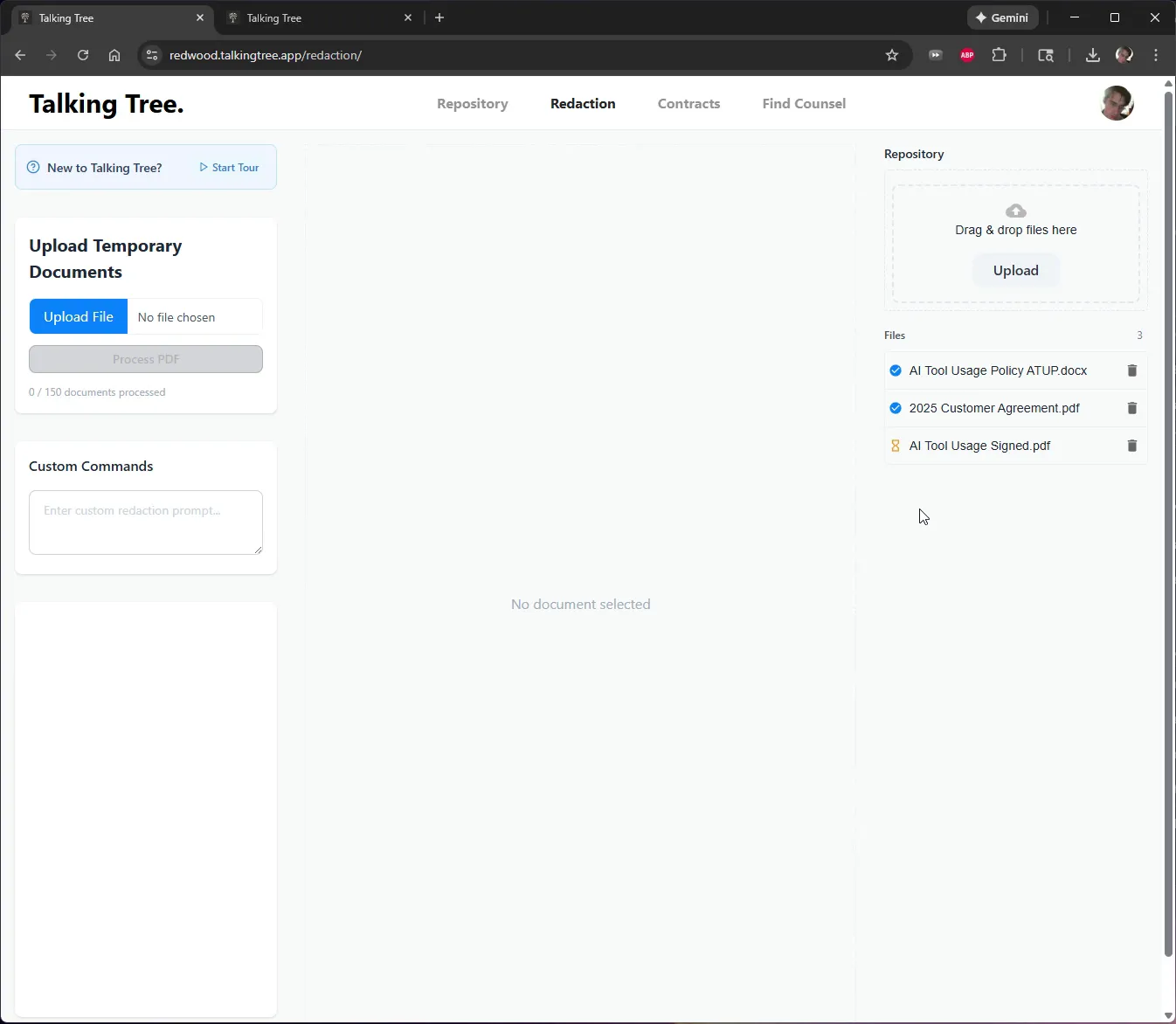
Choose the file you want to redact from the Files list, such as AI Tool Usage Signed.pdf. The document loads in the central preview pane, and the Manual Areas and Manual Text tools become available for custom redactions.
3. Process the PDF to Detect Entities
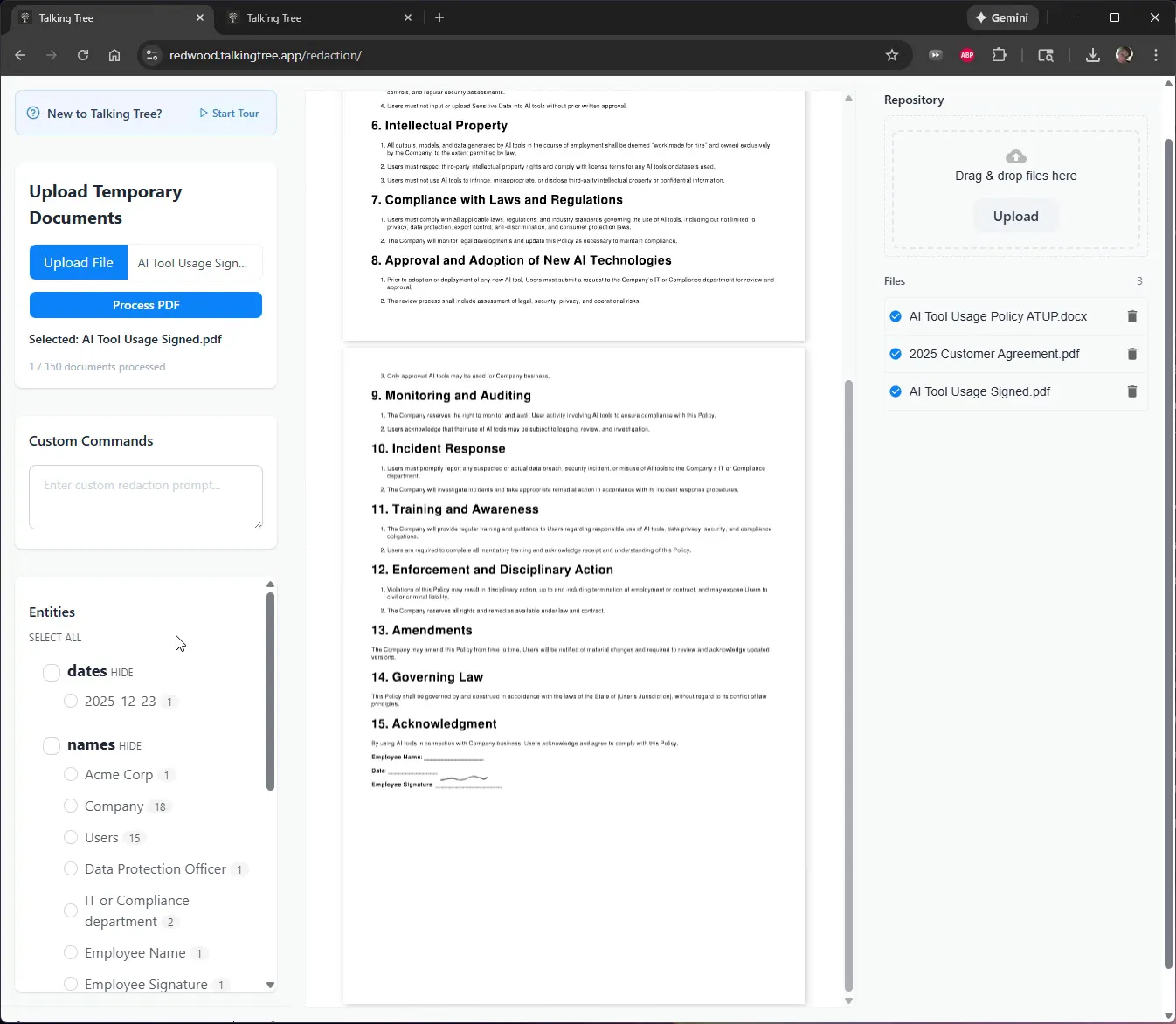
Click Process PDF to scan the document. Talking Tree automatically identifies sensitive entities in the document, grouped into categories like dates, names, and other detected terms, each with a count of occurrences.
4. Select Dates for Redaction
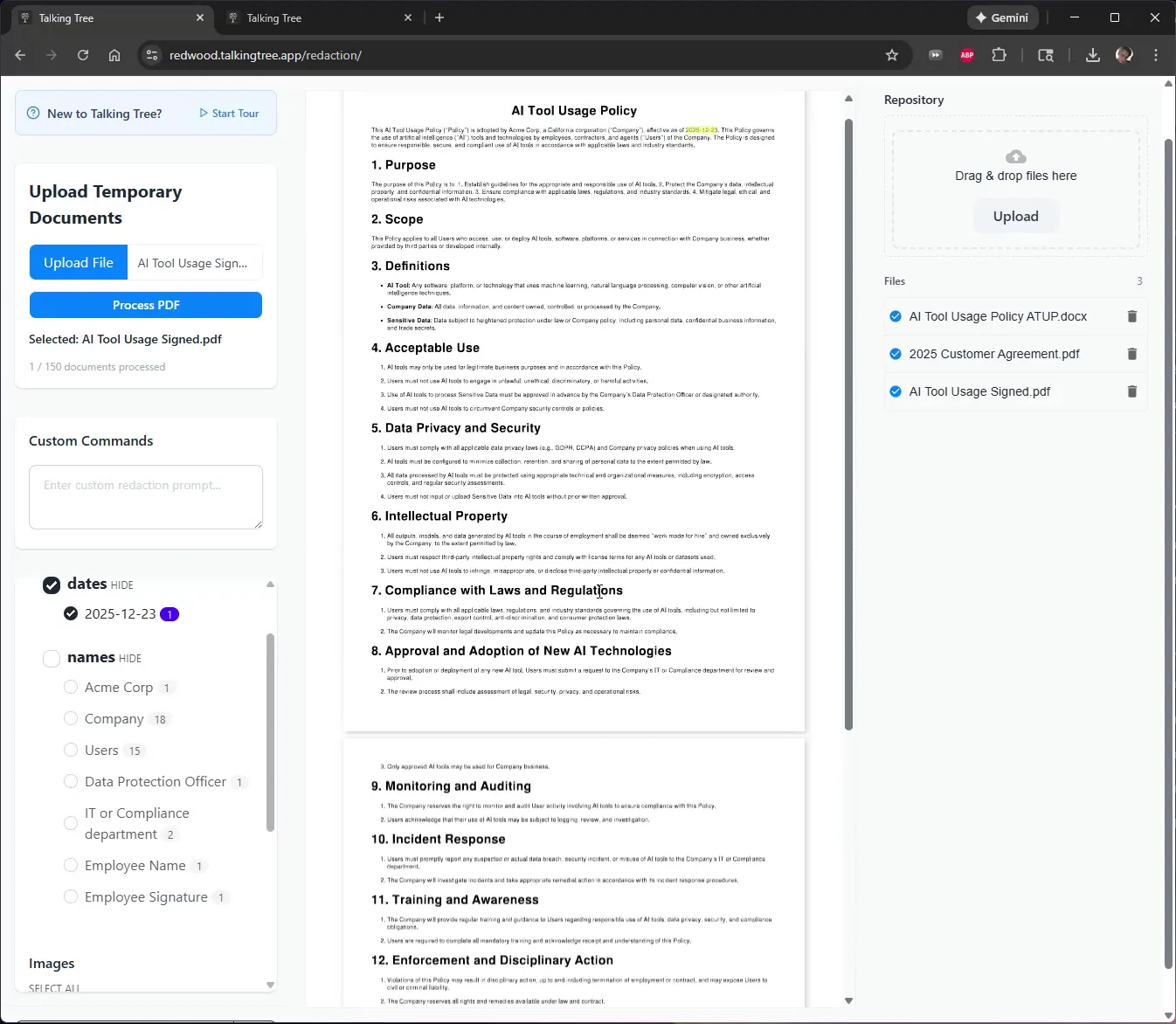
Check the dates category to mark all detected date values, such as 2025-12-23, for redaction.
5. Select Additional Entities
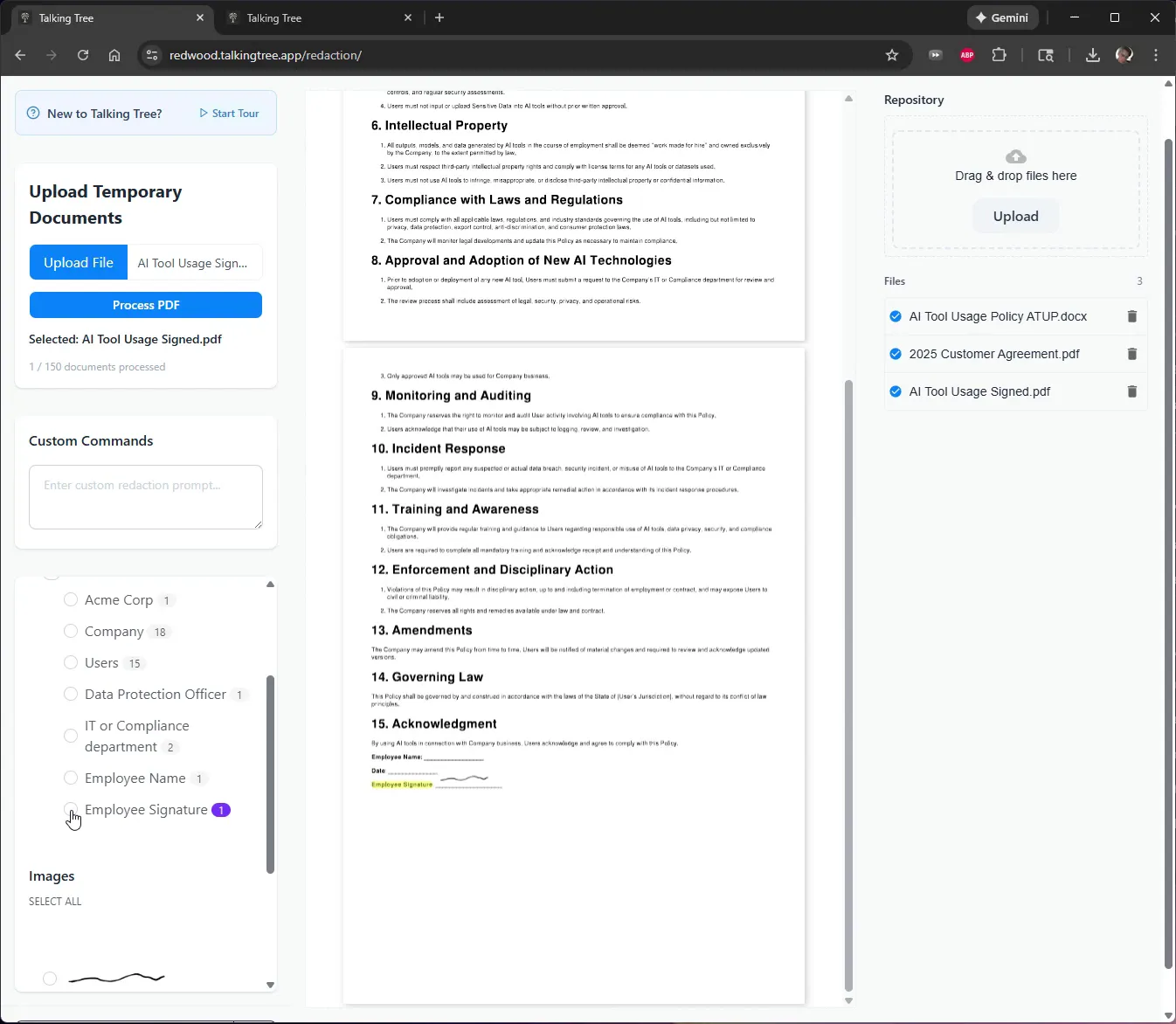
Scroll through the names list and check specific entities to redact, such as Employee Signature. Select any other names or terms that should be hidden in the final document.
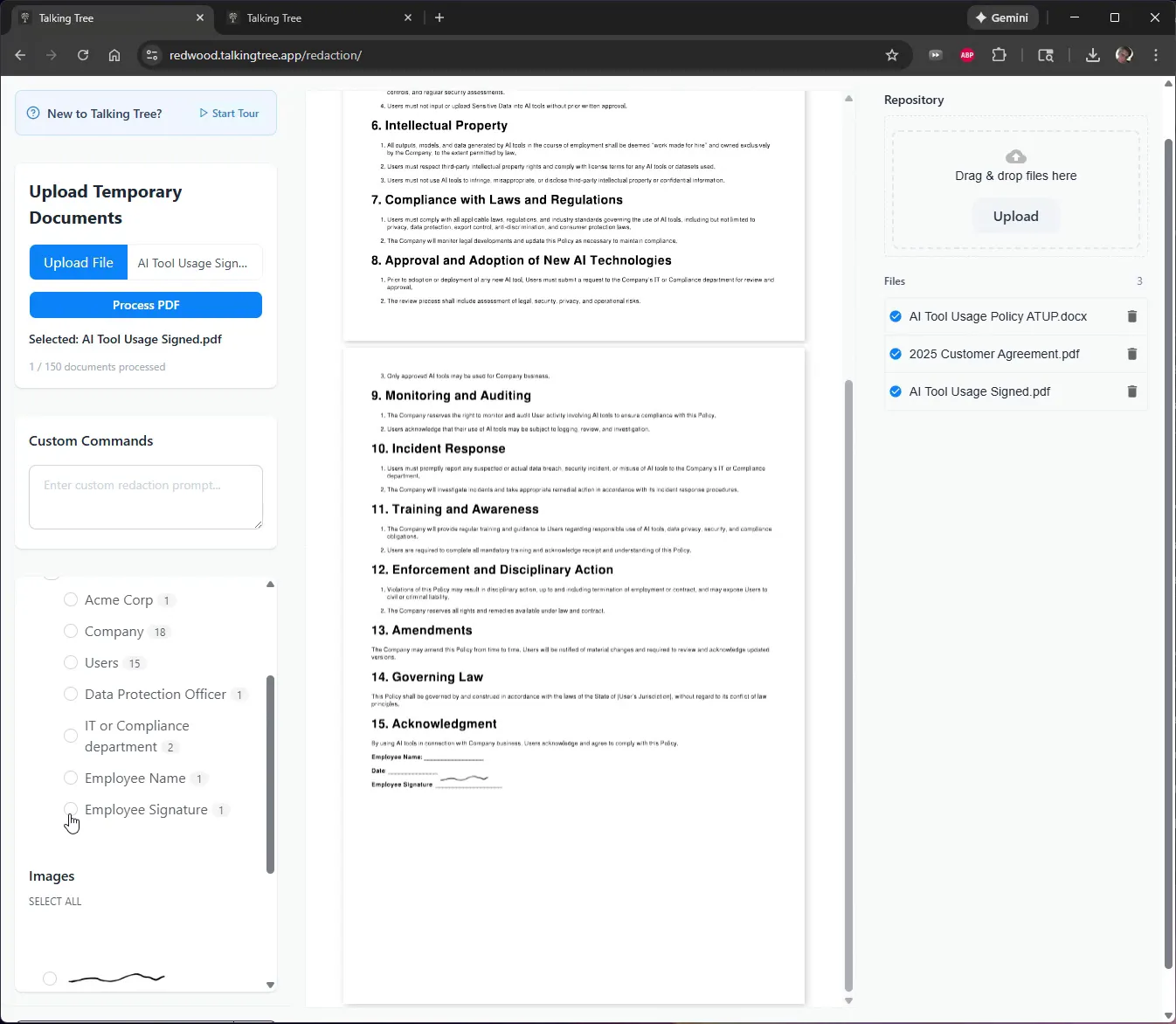
6. Select Embedded Images for Redaction
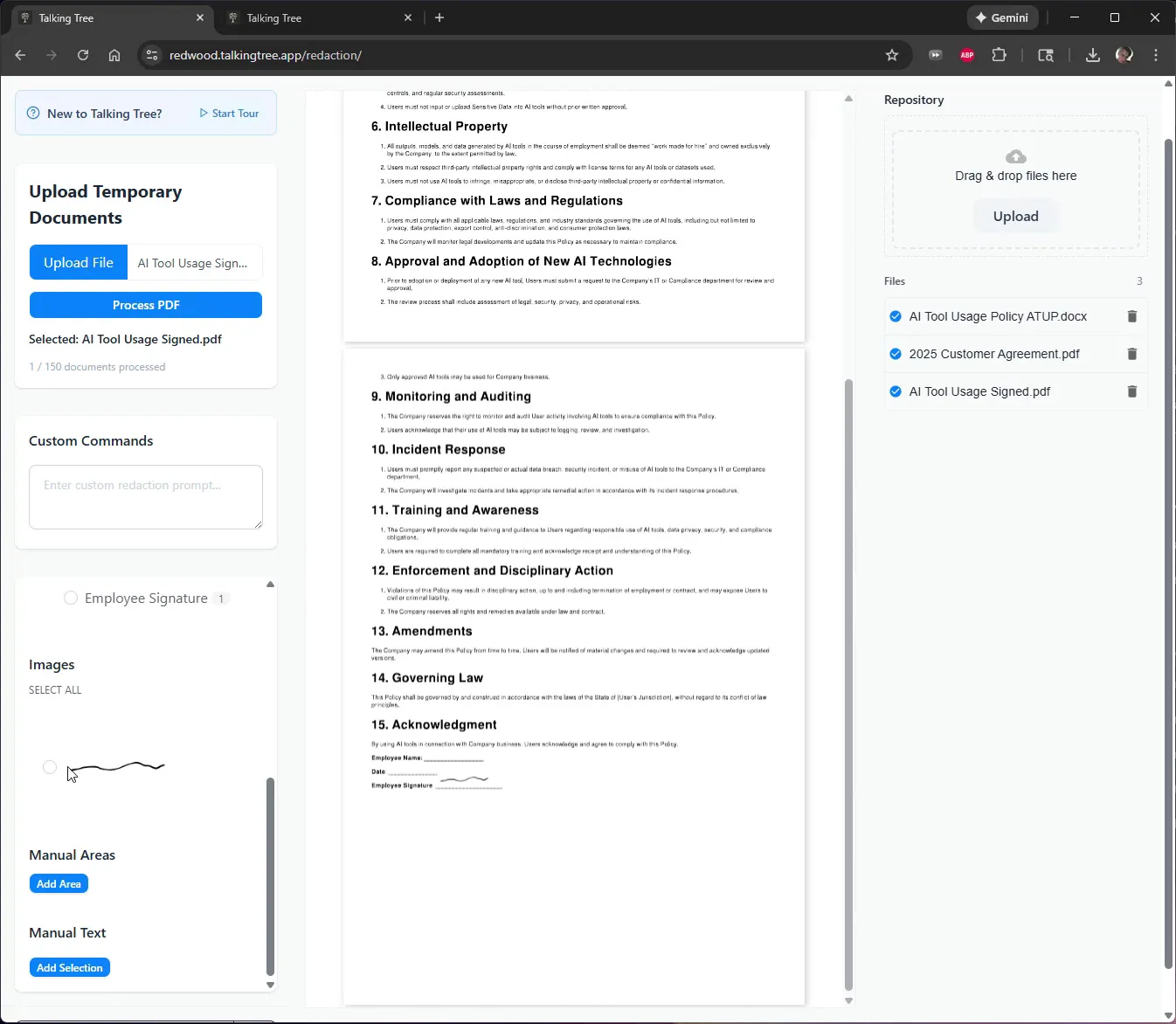
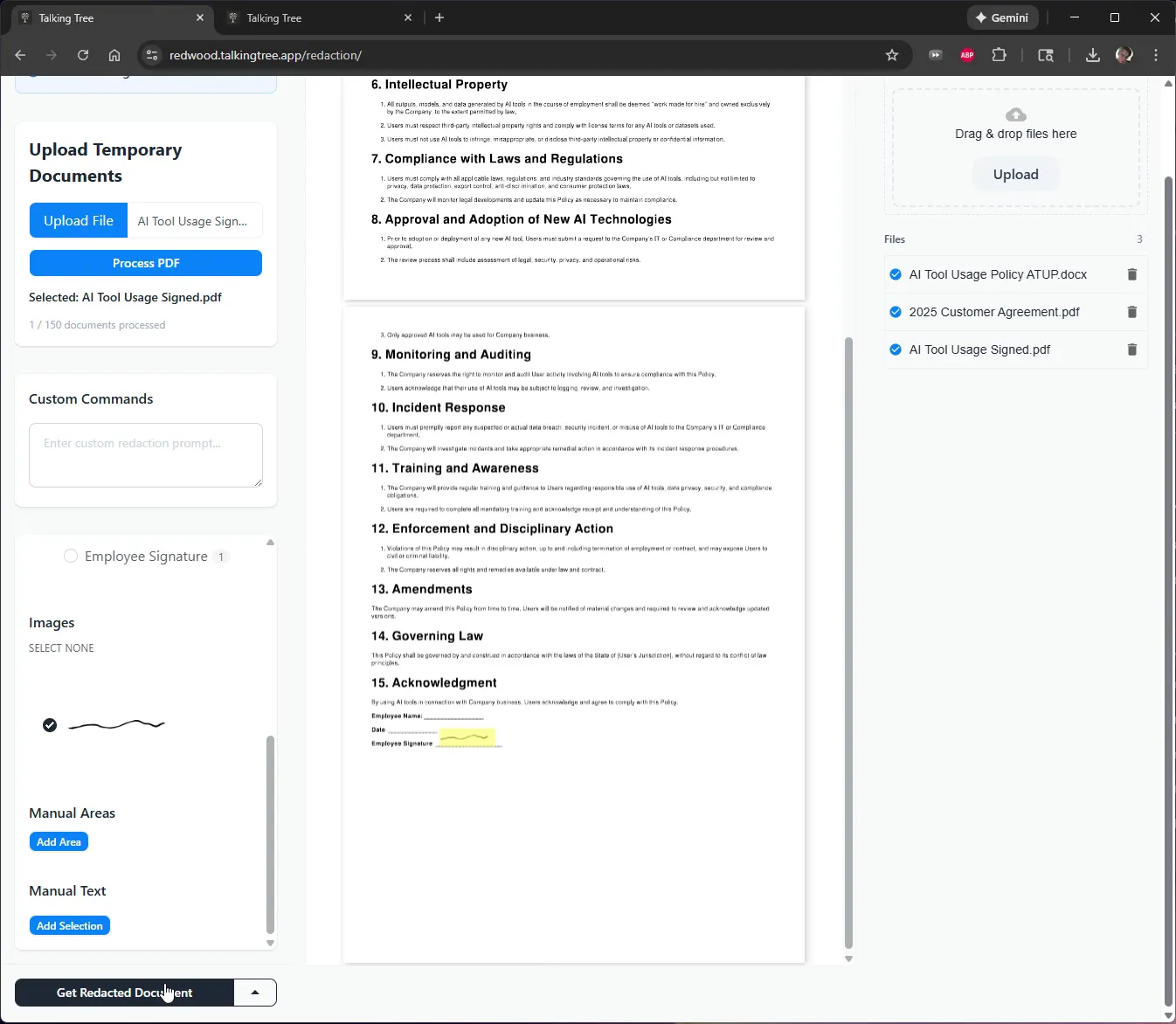
Scroll down to the Images section and check the detected signature image to include it in the redaction. Use Manual Areas or Manual Text below to add any custom redactions not caught automatically.
7. Generate the Redacted Document
Click Get Redacted Document to apply all selected redactions and produce the final file.
8. Download the Redacted PDF
The redacted file, named AI Tool Usage Signed_redacted.pdf, downloads automatically and appears in the browser's downloads list.
9. Open the Redacted Document
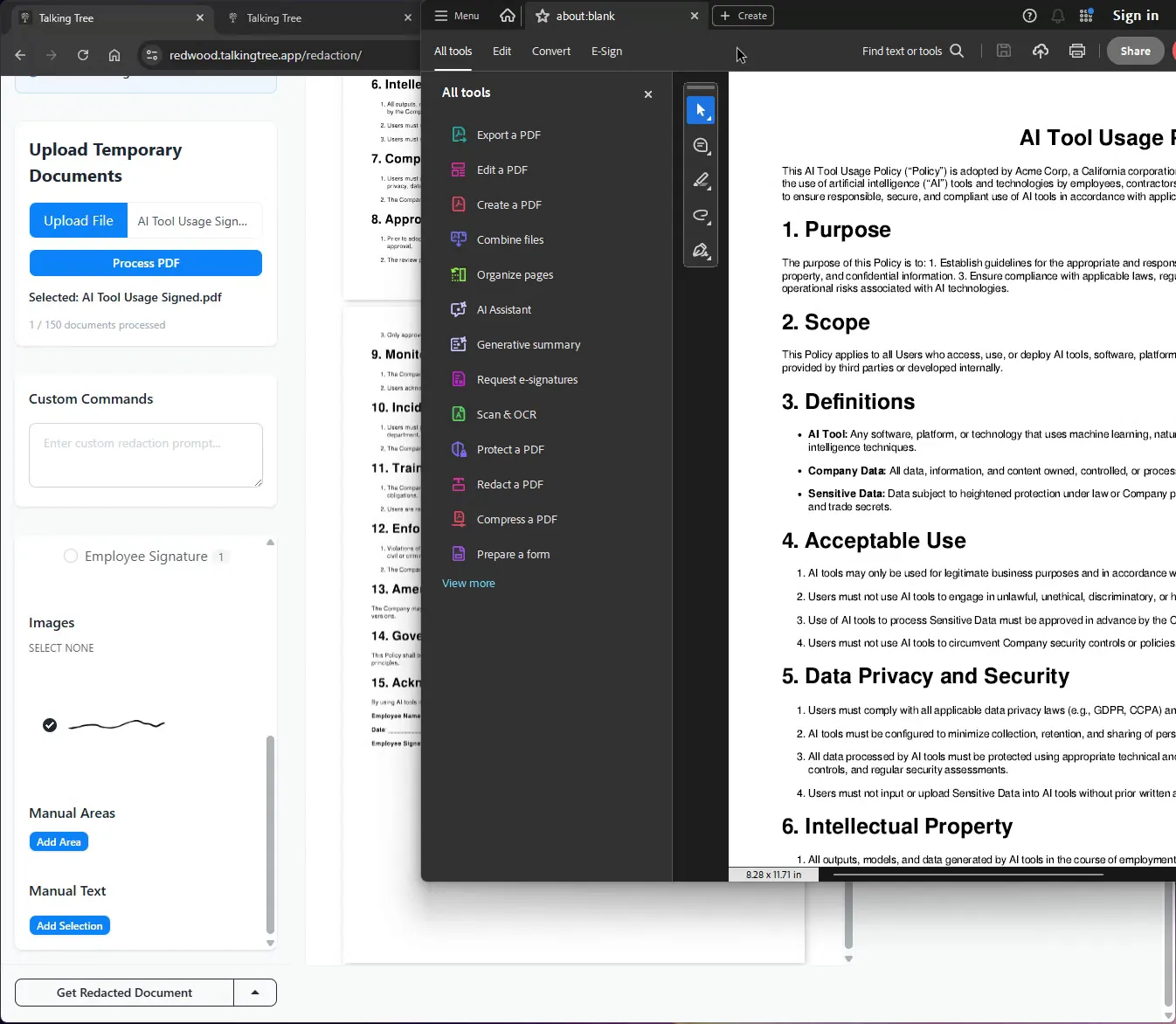
Open the downloaded file to review the result. The document opens in a PDF viewer showing all original content alongside the applied redactions.
10. Review the Redacted Signature
Scroll to the acknowledgment section to confirm the Employee Signature field is now covered by a solid black redaction box, while the rest of the document remains readable.
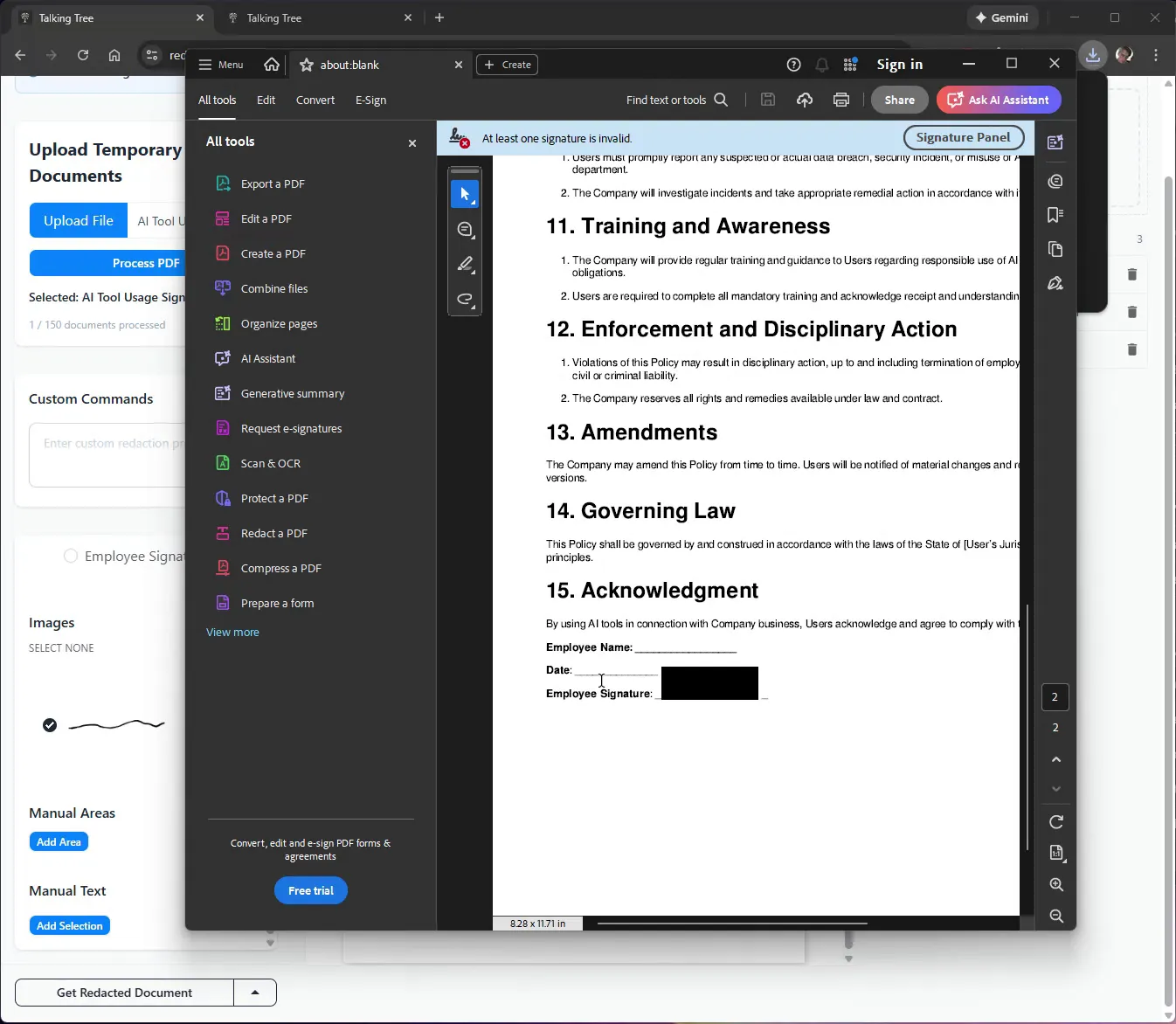
The document has been processed through Talking Tree's Redaction tool, with sensitive dates, names, and the signature image permanently blacked out in the downloaded PDF.
You’re ready to put this workflow into practice.